Self-custody · Bitcoin, Ethereum, Solana
Bitcoin wallet.
Kept simple.
Send, receive and manage Bitcoin, Ethereum, Solana and stablecoins. Your keys stay on your device.
Listed on Google Play as Bitcoin Wallet: BTC Crypto. iOS 1.0.1 has been submitted to the App Store and is awaiting review.
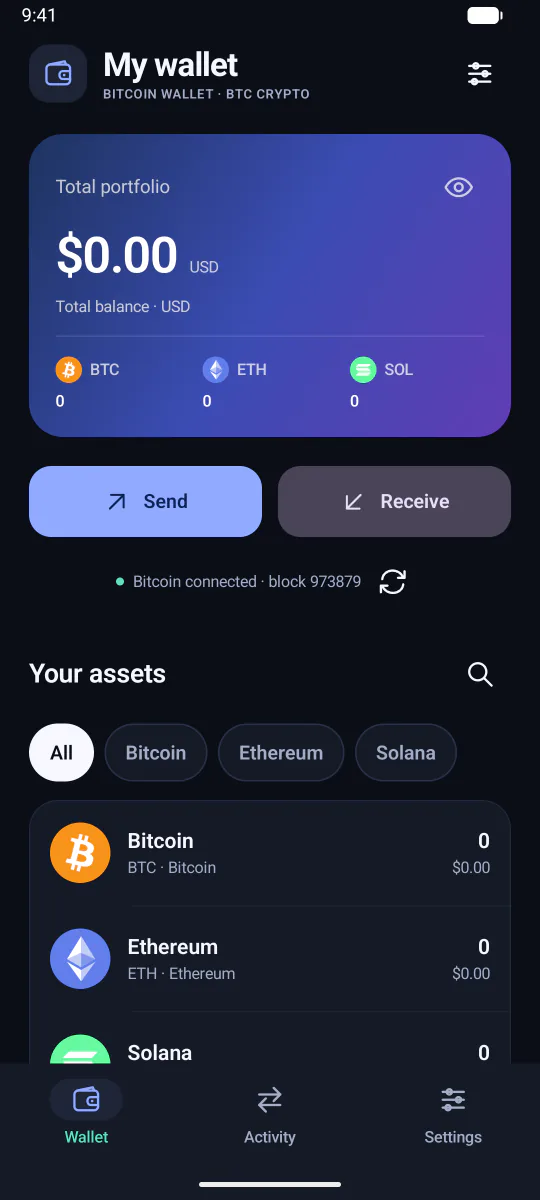
- No accountNothing to sign up for. The wallet is yours from the first screen.
- Signed on your devicePayments are prepared and signed locally, then broadcast to the network.
- You hold the backupEncrypted backup files on Android. Recovery words on iOS.
- Seven assets, three networksBTC, ETH and SOL, plus USDC and USDT on Ethereum and Solana.
What you can do
The essentials, done carefully.
No feature exists here just to fill a screen. Each one is part of holding your own coins and moving them when you decide to.
-
Send with a full review
Enter an amount, paste or scan a recipient, then check the address, the network and the fee on one screen before you approve.
-
Receive on the right network
Each asset shows the correct receiving address and QR code, labelled with its network so the sender can match it. Tokens on the same network may share an account address; the label always tells you which is which.
-
Scan instead of typing
Point the camera at a recipient’s QR code rather than typing a long address. Camera frames are processed on your phone and never uploaded.
-
One portfolio, in dollars
See all seven assets together with an estimated US-dollar value, worked out on your phone from public exchange rates.
-
Device authentication
Your phone’s screen lock or biometrics stand between anyone else and a payment, an additional network or a backup export.
-
Backup and restore
Export a backup encrypted with the password you choose, and restore it on another Android device. The publisher never holds a copy.
The core flow
Sending, without surprises.
Two steps, one review screen, then your device asks you to confirm. These are real screens from the Android app, captured on an empty wallet.
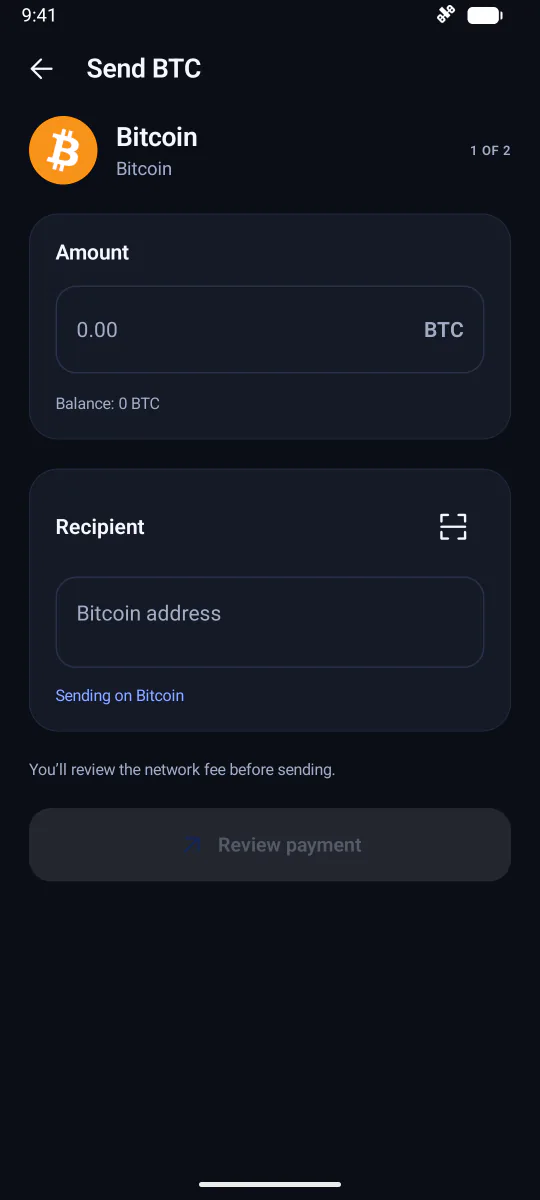
Amount and recipient
Step one of two. The network fee is shown and reviewed on the next screen before anything is signed.
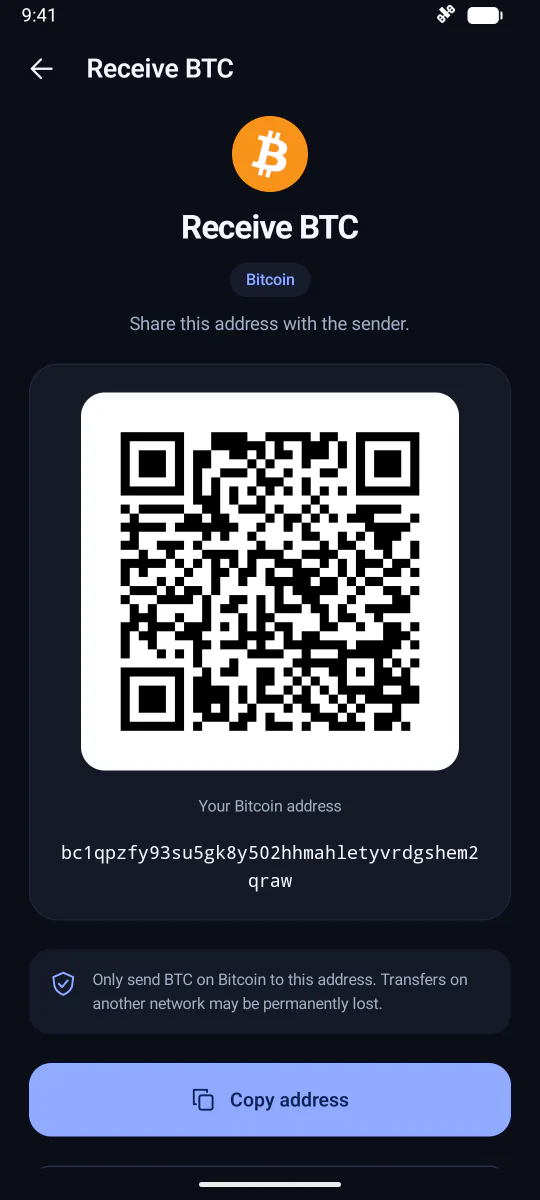
A clear receiving address
Full address, QR code and a reminder of which network it belongs to. Demonstration wallet: do not send funds to the pictured address.
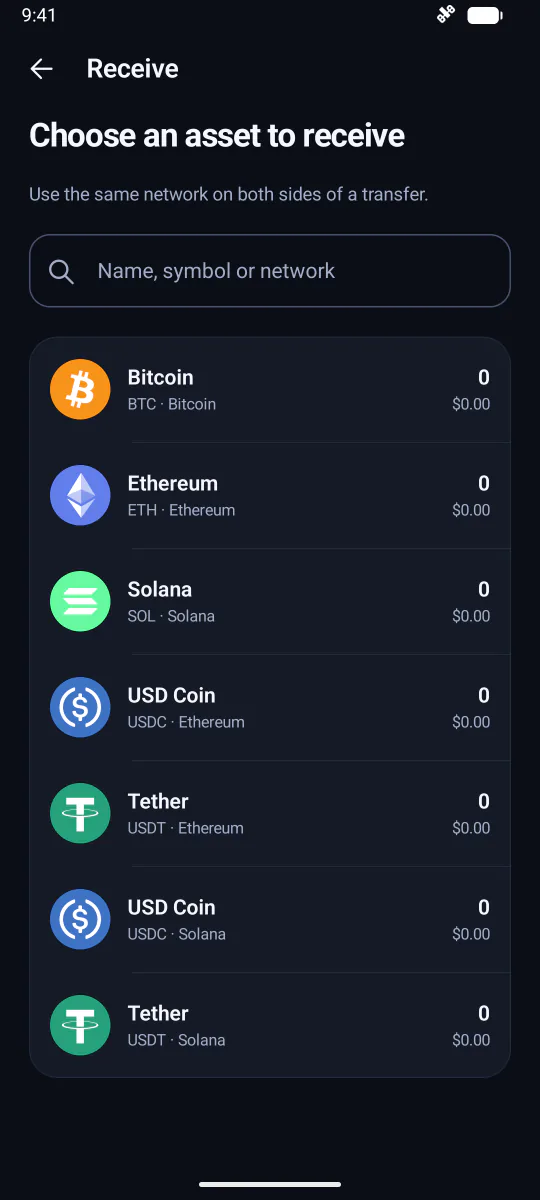
Pick the asset and its network
Same symbol, different network, separate address. The app keeps them apart so you can too.
Supported assets
Seven assets. Three networks. No guesswork.
SatKeep supports a short, explicit list, and treats the same token on different networks as different assets, because on-chain they are.
 BTC
BTC ETH
ETH SOL
SOL USDC
USDC USDT
USDT
| Asset | Network | Standard |
|---|---|---|
| BitcoinBTC |
Bitcoin | Native coin |
| EtherETH |
Ethereum | Native coin |
| SolanaSOL |
Solana | Native coin |
| USD CoinUSDC |
Ethereum | ERC-20 token |
| TetherUSDT |
Ethereum | ERC-20 token |
| USD CoinUSDC |
Solana | SPL token |
| TetherUSDT |
Solana | SPL token |
Deliberately small
A wallet you can hold in your head.
SatKeep does the essentials of self-custody and leaves the rest out. There is no Lightning, no swapping, no buying or selling, no staking and no dApp connections, and no networks beyond Bitcoin, Ethereum and Solana. The publisher holds no keys, so it cannot recover a lost wallet, reset a forgotten password or reverse a payment. That is what holding your own keys means, and the site explains how to do it well.
Guides
Read this before you need it.
Backup and recovery
Android uses encrypted backup files; iOS will use 12-word recovery phrases. How each works, how to restore, and why one does not import the other.
Read the guide GuideBitcoin network fees
Who the fee goes to, why it is priced per virtual byte, how the mempool moves and how to choose a fee you will not regret.
Read the guideReady when you are.
Get Bitcoin Wallet: BTC Crypto on Google Play today. The iOS version has been submitted to the App Store and will be announced here once it is available.
Listed on Google Play as Bitcoin Wallet: BTC Crypto. iOS 1.0.1 has been submitted to the App Store and is awaiting review.